Open Sign Up and use the email or Google option shown. Follow the verification steps and confirm that you are an adult with authority to provide any child information. You can browse sample stories before creating an account.
On Sign In, you can request an email sign-in code, use your password, or continue with Google. Choose the method you used for the account. Never share a password or verification code with support.
Choose Forgot Password on the sign-in page, enter your account email, and open the latest reset email. Check your spam folder if it does not arrive. If a link has expired, request a new one. Google accounts can use Continue with Google.
Use a unique password and keep access to your email account secure. The current parent profile does not provide a two-factor setup screen. If you sign in with Google, manage that account's security through Google.
Your email is shown in My Profile. Contact support if you need help changing the email attached to your account; do not create a second purchase to recover access.
Follow the email verification step shown during signup. Use the newest email or sign-in code, and check your spam folder. If verification fails, return to Sign In and request a fresh code or contact support.
One parent account can manage more than one child character. Its library and credits belong to that account. Keep your password and sign-in codes private; share a reviewed public story link when another family member wants to read.
Search your inbox for earlier Nanhe Kissey emails to identify the account address. Use an email sign-in code, Forgot Password, or Continue with Google as appropriate. If you still cannot sign in, contact support with the account email, never your password or code.
Yes! Every new user gets 10 creation credits with no card required: 1 for a new avatar, 8 for a Short Story, and 1 extra for another avatar or a one-credit Fun Zone look. All stories include generated text and illustrations.
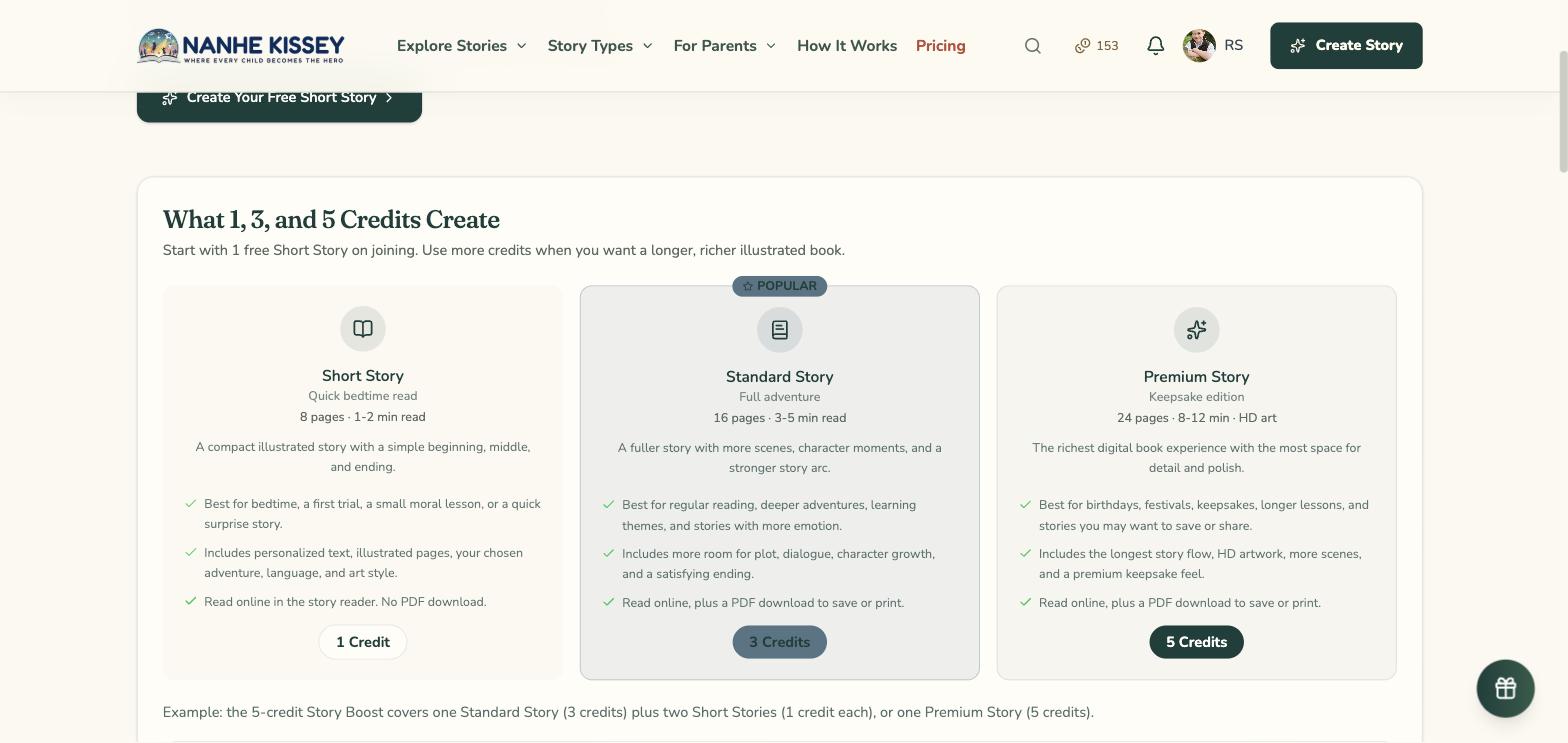
The Short Story tier has 8 illustrated pages and is read online. Choose from the adventures, languages, and art styles available in the creation form. Short Stories do not include PDF export.
With the free joining bonus you get 10 creation credits to explore the platform. A Short Story uses 8 credits and a new avatar uses 1. When your credits run out, subscribe to PRO or MAX, or grab a Family Gift for more.
All tiers create story text and illustrations. Length and generation options vary by tier. Compare the current descriptions on Pricing and review the result; AI illustration quality and likeness can vary.
Short Stories have 8 pages and are read online. Standard Stories have 16 pages and include PDF export. Premium Stories have 24 pages and include PDF export. Pricing shows the credit cost before you create a story.
Find created stories in My Library while signed in. Story access and credit expiry are different: check the terms of your credit purchase for its validity. PDF export is available for Standard and Premium Stories, not Short Stories.
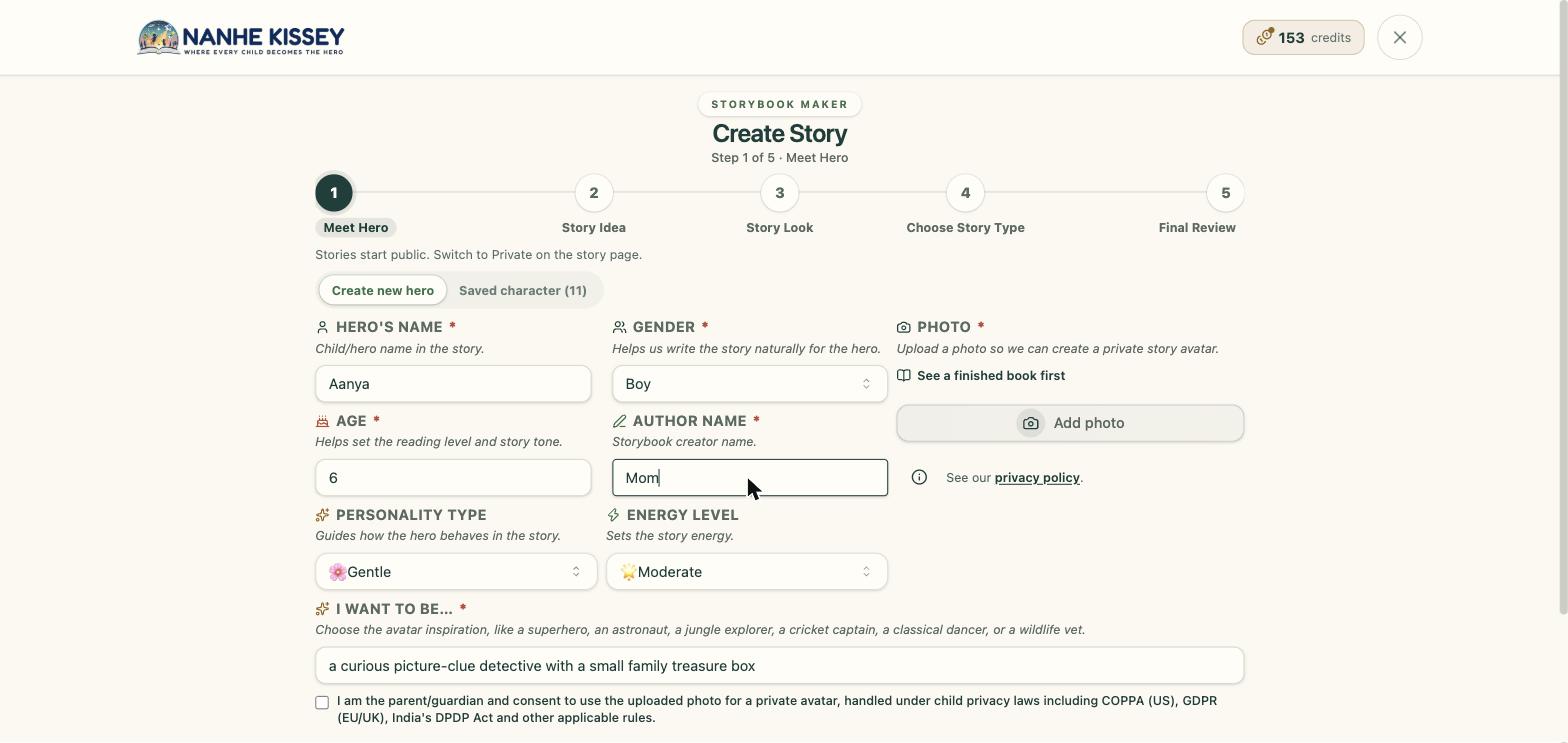
Start at Create Story. Choose a story tier, language, character, idea, and art style. A new illustrated character needs an authorised photo and parent consent; a saved, ready character can be reused. Review the credit cost and visibility notice before generating, then follow the progress screen.
Choose Short, Standard, or Premium in the creation form. They have 8, 16, and 24 pages respectively. Standard and Premium include PDF export; Short is read online. Check the displayed credit cost before generating.
Browse Adventures for current story ideas, including space, dinosaurs, animals, and fantasy. You can also explore named festival, school, feelings, and occasion collections. Choose an idea that suits your child's interests.
Visit Art Styles to compare the current catalogue and preview each visual direction. Styles include watercolour, animation, classic storybook, and folk-art options. The creation form shows the styles you can use for your story.
Choose the character's age in the form. It helps guide the story's language and themes, but reading ability and interests differ. Review the finished book and decide whether it suits your child.
Choose from the story languages shown in the creation form. Website language and story language are separate settings. Review the text, audio options, and exported PDF for your chosen language; availability does not guarantee the same result in every format.
Generation time varies with the story length, illustrations, and service demand. Follow the progress screen. If a story stops, use the retry or recovery option shown for that story, or contact support with its reference.
The child becomes the main character in the story. A new illustrated character needs an authorised photo and parent consent, or you can reuse a saved, ready character. AI uses the reference to guide illustrations; it does not guarantee an exact likeness on every page.
For best results: (1) Use a clear, front-facing photo with good lighting, (2) Face should be unobstructed - no sunglasses, hats, hands, (3) Use a recent photo matching child's current appearance, (4) Neutral or happy expression works best, (5) Avoid heavily filtered photos, (6) Higher resolution photos work better. The AI needs clear facial features for consistency.
AI generates the story text and illustrations from the choices you make. Different story tiers may use different generation options. Review the finished text and pictures; AI can make factual, language, or visual mistakes.
Open a story you own and use its editing controls to review text and available illustration options. Check any displayed cost or limit before regeneration. Review the result again before reading or sharing.
Start another story and choose a different idea, language, or art style. A new story uses the credits shown before generation. Check My Library first if you meant to recover an unfinished story instead.
Open the affected story and read its status. Use the recovery option shown before starting another story. Check My Credits for any restored credits; if the story remains stuck or the balance looks wrong, contact support with the story reference.
Use the story idea or prompt field to describe a setting, a small challenge, and the kind of ending you want. Keep personal details to a minimum. AI may interpret the request differently, so review the finished result.
Credits pay for story creation. The creation form and Pricing show the cost for Short, Standard, and Premium Stories. Buy a one-time pack or choose a subscription, then check My Credits for your balance and transactions.
Pricing shows the current offers and selected currency. Compare the credit amount, billing interval, and validity for each option. Checkout confirms the final amount and billing currency before payment.
Checkout shows the payment methods available for your selected product, currency, and provider. Choose from those options; a method advertised elsewhere may not be available for every purchase.
Use the currency selector on Pricing or Gifts to view available currencies. Subscription and one-time checkout may support different billing currencies. Check the final currency and amount before paying.
Check the validity stated for your purchase or subscription. The terms distinguish credit use during the paid period from access to stories already created. My Credits shows your current balance.
Open My Orders for purchases, payment status, and subscription records. Open My Credits for credit additions and usage. An order detail page shows payment references and a provider receipt link when available.
Purchased credits are non-refundable. If a story generation fails after spending credits, those credits are restored to your account automatically. For technical access issues, contact support@nanhekissey.com and we will help restore access or affected credits where applicable.
Pricing separates recurring subscriptions from one-time credit packs. Compare the current credit amount, billing interval, and renewal terms, then check the details again at checkout.
Open My Orders, choose Subscriptions, and open the relevant subscription. Use Cancel Subscription and review its confirmation. A one-time credit pack does not renew and has no subscription to cancel.
Payments use the payment provider shown at checkout. Review the amount and provider before continuing. Never send card details, passwords, or verification codes to customer support.
Open Gifts, choose a gift-credit pack, and complete checkout. Share the resulting gift code or redemption link with the recipient. They sign in or create an account to redeem it. Check the validity and restrictions shown with the gift.
Payment receipts are issued by the payment provider used at checkout, such as Razorpay or PayPal. Nanhe Kissey shows your order summary and payment reference IDs, and links to the provider receipt when the provider makes a customer-facing link available.
Open My Library to switch between your created, liked, and saved stories. Select a book to read it. PDF export is available for eligible Standard and Premium Stories.
Visit Stories to browse books available in the public gallery. Public story text and illustrations may contain personal details, so public visibility should not be treated as anonymisation or permission to reuse a family's content.
Completed stories start public. Open an owned story and use its Public/Private control to change visibility. Review the text and pictures for personal details before leaving a story public or sharing its link.
Use the sharing controls on a story you own after reviewing its content and visibility. A public link lets others read it. Do not assume that sharing hides names or anonymises the illustrations.
You can buy gift credits so a recipient creates their own story, or share a reviewed public story link. Eligible Standard and Premium Stories can also be downloaded as PDFs. These are separate from ordering or shipping a physical book.
Check the Terms of Service before selling, redistributing, or using a story commercially. Creating or downloading a story does not by itself confirm commercial rights. Contact support if your intended use is unclear.
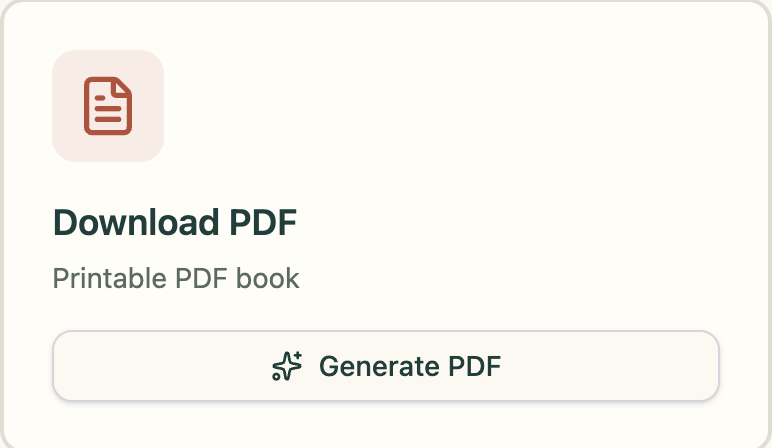
Open an owned Standard or Premium Story and choose Download PDF when available. Wait for the export, then check the pages before printing. Short Stories do not include PDF export.
For an eligible story, download its PDF and print it at home or through a print shop you choose. Check page size and the preview first. Do not assume that a story or credit purchase includes a printed book.
Review the PDF at full size before printing. Paper, printer settings, image resolution, and binding affect the result. Ask your print shop about its requirements and consider one test copy before a larger order.
Story credits and PDF downloads are digital purchases. They do not include shipping. If a physical print offer appears at checkout, review that offer's destination, price, and delivery terms before buying.
Use the download options available in your story editor or reader. Check the saved file's dimensions before printing or reusing it. Available resolution can vary; a screen preview does not guarantee print quality.
Story Ideas contains prompts, reading suggestions, and articles. Browse its categories or search for a topic, then check whether a suggestion suits your child's age and interests.
Send a topic idea and short outline through Contact. Please do not include a child's private information or submit material you do not have permission to share. The team can discuss whether it fits the site.
Use the social links in the footer to find the channels currently listed by Nanhe Kissey. Contact is the direct route for account or order help. Never share private child details, passwords, or verification codes in public discussions.
Use Contact to describe the problem you want solved and how a change would help your family. Suggestions are reviewed, but submission does not guarantee a feature or reward.
The service uses parent accounts and consent for child photos. Read the Privacy Policy for what information is collected, why it is used, and the controls available to you. Contact privacy@nanhekissey.com for a privacy request.
The Privacy Policy explains applicable rights and how to make a request. My Profile includes personal-data export and account-deletion controls. Contact privacy@nanhekissey.com if you need help with access, correction, or another privacy request.
Read the Privacy Policy for the rights and request process applicable to your location. Use My Profile for the available export and deletion controls, or contact privacy@nanhekissey.com for help.
Read the Privacy Policy for information about applicable rights and grievance contacts. You can use the privacy controls in My Profile or send a request to privacy@nanhekissey.com.
Use only a photo you are authorised to provide and read the photo-use notice before consenting. Photos and generated references are used in the character workflow. Manage available child photos from My Profile, and read the Privacy Policy for processing and deletion details.
In My Profile, open Privacy & Data and select Export Personal Data. Keep the downloaded file private because it can contain account and family information. Contact support if the export fails or you need information not included in it.
In My Profile, open Privacy & Data and choose Delete My Account. Read the confirmation carefully and type DELETE if you want to proceed. Consult the Privacy Policy for deletion timing and records that may need to be retained.
Use Cookie Settings in the footer to review the choices available on this device. Essential cookies support functions such as sign-in. The Cookie Policy explains the categories and how preferences are handled.
The service uses technical controls to protect account and story information. Read the Privacy Policy for the current processing details. You also help protect your account by keeping passwords and sign-in codes private and reviewing public stories before sharing.
The Privacy Policy explains the service providers used for hosting, story generation, and payments. Read the photo-use notice before providing a child's photo. Contact privacy@nanhekissey.com if you have questions about a specific use of your data.
Email support@nanhekissey.com or use the Contact page. Include the affected page, story or order reference, and a short description of the problem. Do not include passwords, sign-in codes, payment-card details, or unnecessary child information.
Response time depends on the request and support availability. Keep replies in the same email thread so the team can follow the history. For an unresolved payment, check My Orders before attempting another purchase.
The Contact page lists the current email, WhatsApp, and phone details, along with business hours. Use the channel shown there for your request. Written messages are useful when you need to include an order or story reference.
Use Contact or email support@nanhekissey.com. Explain what you expected, what happened, and the steps to reproduce it. Include your browser or device and a screenshot with private details removed.
Start with How It Works for the creation journey, this Help Center for account questions, and Story Ideas or Parent Guides for reading suggestions. Follow instructions shown beside the control you are using.
Follow the file types and size limit shown by the upload control. Use a clear, well-lit photo and avoid heavily filtered images. If a format is rejected, try an accepted JPEG or PNG version and keep the original file safe.
Still have questions?
Our friendly support team is here to help you with any other questions you might have about our personalized storybooks
Unlock tips to make every bedtime story magical and memorable.